
Threat modeling lets you simulate how a threat actor might behave against your environment, so you can see your current risk against real-world tactics and test the effect of a change before you make it. It draws on the assets and controls you have already recorded and turns them into a financial view of risk reduction and return on investment. You work with it under Assessments > Threat Modelling. This article explains the recommended workflow.
Identify your critical assets
Start by recording the assets that are most valuable or most vulnerable, through the Security Resources module, either manually or by bulk upload. These are what your scenarios test, and because the simulation can produce a financial summary, it helps to have costs recorded against your resources.
Assess your existing defences
Understand your current posture by assessing the Master Control Framework, either by completing it directly in your Capabilities Assessment or by bringing scores and evidence across from another framework using Framework Translation. This step identifies the protections you already have and the gaps that are relevant to your scenarios.
Generate threat activity
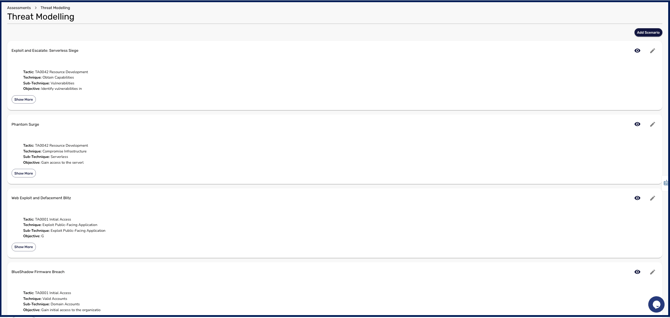
Build a threat scenario that reflects current threat-actor behaviour. The AI feature can pull in real-world tactics and techniques so your model stays current, and the dashboard then shows your risk against that behaviour. Creating scenarios is covered in How to Create a Threat Scenario.
Threat Modelling requires MITRE ATT&CK. It is the only threat framework the builder supports. If your workspace has a different threat framework selected, or none at all, the scenario builder will appear empty and AI generation will be unavailable. Set MITRE ATT&CK as your threat framework under Settings > Capabilities before you start, as described in How to set and update security frameworks.
Simulate change
Model how a change, such as adding a security resource or implementing a control, would affect your risk before you commit to it. The simulation summary quantifies the risk reduction, financial impact, and return on investment, which gives you a clear case for cyber spend. This is covered in How to Run and Interpret a Threat Simulation.
Worked through in order, these steps take you from knowing what you are protecting to a defensible, financial argument for the changes worth making.