
Entities are the third parties your organisation relies on, such as vendors, partners, and suppliers, and this area, under Assessments > Entities, is where you assess and monitor their security. It matters because a third party's weaknesses can become your risk, so CyberHQ lets you send entities questionnaires, score their responses, and keep track of where each one stands over time. This article explains the lifecycle and where each step lives.
Recording your entities
You start by recording the entities you work with, capturing their contact, type, criticality, and the access they have to your data. This is covered in How to Manage Entities.
Building your questionnaires
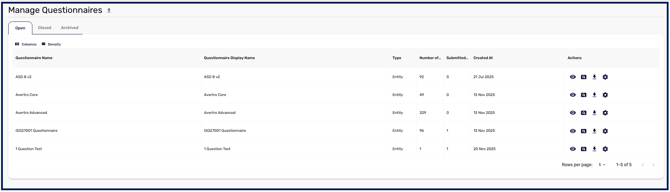
Questionnaires are the question sets you send to entities. You can build Entity questionnaires, which produce a maturity score and can map to frameworks, or Standard questionnaires, which are a simple form. This is covered in How to Create and Manage Questionnaires.
Sending and answering assessments
An assessment pairs an entity with one or more questionnaires and sends it to a contact at the entity to complete. This is covered in How to Send and Answer an Entity Assessment.
Evaluating and reassessing
Once an entity submits, you review their responses and record a decision, then keep the relationship current with periodic reassessment. This is covered in How to Evaluate and Reassess an Entity Assessment.
Tracking status
Throughout this lifecycle, each entity shows a status so you always know where it sits: No assessment sent, Awaiting response, Awaiting updated response, Ready for review, Accepted, Rejected, Provisional Acceptance, and Reassessment due. These let you see at a working level which entities need attention.
Most statuses change because someone acts on the assessment. One does not: an entity in Provisional Acceptance moves to Accepted on its own once the outstanding items behind that decision are resolved, so provisional records close out as the work completes rather than waiting for someone to revisit them.
Worked through in order, these steps take you from recording who you depend on to a current, evidenced view of how secure each of them is.