
Framework Coverage, previously called the Compliance Assessment, shows how complete each framework in your workspace is: how many of its controls are answered, how many are left, and exactly which ones are creating the gap. You find it under Assessments > Coverage.
The page has two tabs. Framework Coverage, described below, tracks completion. AI Translation Assessment Review is where you review a framework translation before accepting it. Translating the answers in one framework into another is covered in How to Translate a Framework, and reusing them through a mapping you supply yourself in How to Use Crosswalks to Reuse Scores Between Frameworks.
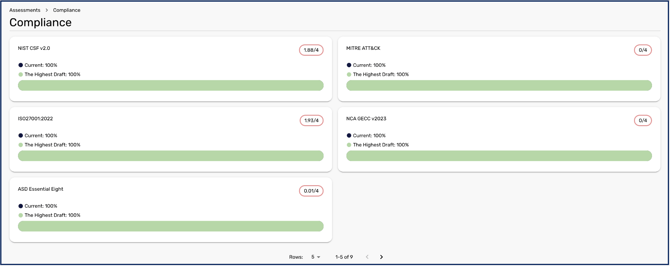
Checking your framework coverage
The Framework Coverage tab shows live completion for each framework in your workspace, taken directly from the subjective scoring in your Capabilities Assessment. Each framework has a card showing the percentage complete, how many controls are answered out of the total (for example 40 of 106 answered), and how many remain.
Click a card to open Controls remaining for that framework. It repeats the % Complete, Answered and Remaining figures, then lists every control still to be answered, grouped by family, with its ID, its question and the label Not answered. This shows exactly which controls are creating the gap.
On a framework you built yourself, a control you can't answer yet, because it depends on another control's answer, isn't counted as remaining until it unlocks.
Framework Coverage is for viewing only: you can't open or answer a control from the list. You answer the remaining controls in your Capabilities Assessment, as described in How to Assess your Capabilities.
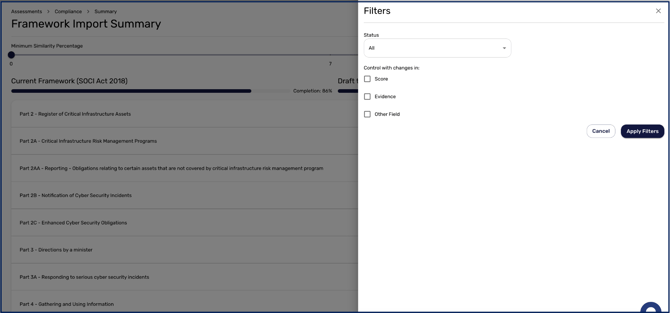
Reviewing framework translations
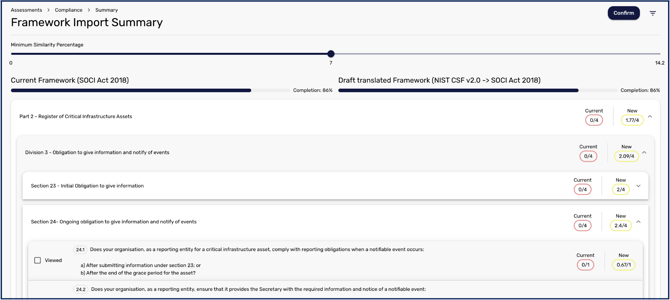
If you have translated the answers in one framework into another, the AI Translation Assessment Review tab is where you review the result before accepting it. Each framework has a card showing its score, its Current Framework Coverage (how much of the framework is answered today) and its AI-Translated Coverage (how much would be answered based on its most recent translation), each as a progress bar, with when the translation was last run. Comparing the two shows how much a translation would fill in. The AI-Translated figure is translation coverage, not your actual compliance position: nothing changes in your assessment until a translation is confirmed.
A translation is started from Assessments > Capabilities, not from this page. How to Translate a Framework covers starting, reviewing and confirming one.
With coverage in view, you can see how far each framework has to go and exactly which controls are left to answer.