
CyberHQ offers two ways to score your capabilities, subjective and objective, along with a capabilities delta that compares them. Understanding the difference helps you choose the right mode for your framework and read the gap between how you rate yourself and how you score against the Master Control Framework.
Subjective scoring
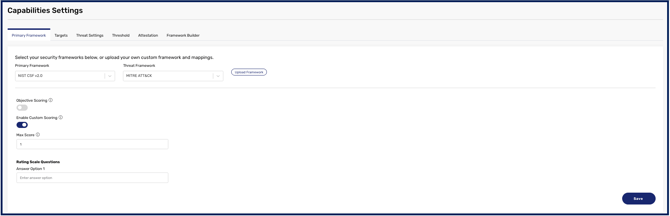
Subjective scoring lets you rate your maturity against each control in your chosen framework directly, by assigning a score to each control yourself. It reflects your own assessment of where you stand. To use it, turn Objective Scoring off in Settings > Capabilities.
Objective scoring
Objective scoring measures your performance against the mapped Master Control Framework controls that correspond to your framework's controls, which gives a more evidence-based result with more definitive binary 'yes or no' controls. To use it, turn Objective Scoring on in Settings > Capabilities, after which the assessment shows a Scoring Mode of Objective. When you open a control, its Scoring tab lists the Master Control Framework questions mapped to it, each answered Yes or No. Use the View selector at the top of the tab to change how they are laid out: Default lists the questions together, and Grouped groups them by Master Control Framework category, such as Configuration Management, so you can see which Master Control Framework controls sit behind one of your framework's controls. You can also filter the framework to show only the controls relevant to your selected subjective framework.
The Scoring tab also shows the control's score in each framework it relates to, for example Master Control Framework 1.69/4, or N/A, No crosswalk maps to this control where no mapping exists. If you have added a crosswalk, the controls it maps to this control from another framework are listed here too; see How to Use Crosswalks to Reuse Scores Between Frameworks.
How 'Not Applicable' controls are treated
Master Control Framework controls you have marked Not Applicable are excluded from your objective score entirely. They are not counted as unmet, and they do not sit in the denominator — the score reflects only the controls actually relevant to your organisation.
This means marking a control Not Applicable is a scoring decision, not just a housekeeping one. Use it where a control genuinely does not apply to your environment, and record why in the control's notes so the exclusion is defensible when someone asks.