
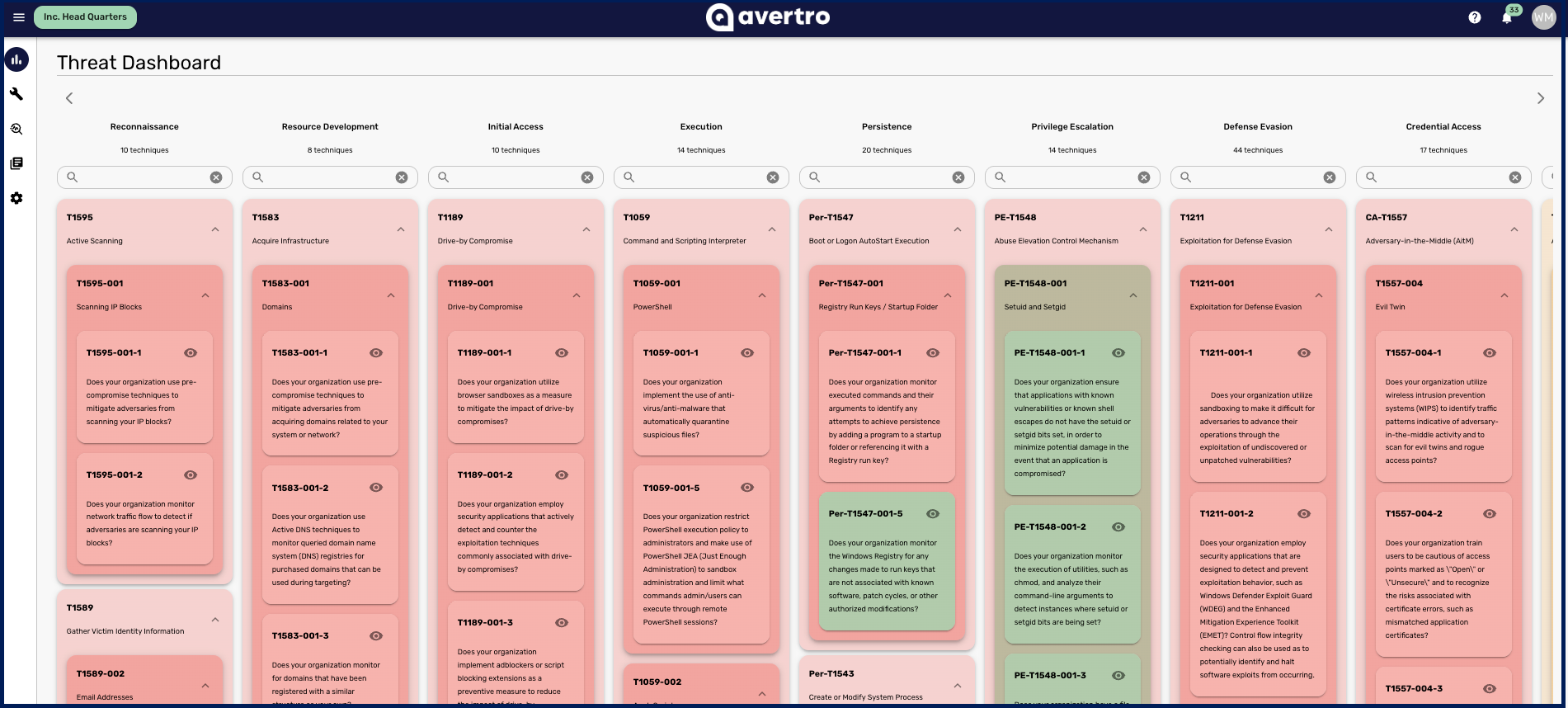
Threat FX, under Reports > Threat FX, aggregates the threat techniques across all of your threat scenarios into a single view of your organisation's threat exposure. It matters because an individual scenario shows one threat at a time, whereas Threat FX rolls them up so you can see the bigger picture: the patterns, the techniques that recur, and the areas that most warrant attention. This article explains what it shows.
What Threat FX shows
Threat FX gathers every tactic and technique linked across the threat scenarios present in your workspace and presents them together. This aggregated view helps you identify the techniques that appear most often, spot patterns across your scenarios, and pinpoint potential areas of concern that a single scenario would not reveal on its own.
Because Threat FX is built from your threat scenarios, the more representative your scenarios are, the more useful this view becomes. Scenarios are created and maintained in your Threat Modeling assessment, covered in How to Create a Threat Scenario. For the parameters and download options common to every report, see Getting Started with Reporting.