
How to set Framework Control Targets
Setting your control targets will allow you to compare your current progress on your security framework against goals within your reporting tools.
- Navigate to Settings > Capabilities in the left-hand menu.
- Open the Targets tab.
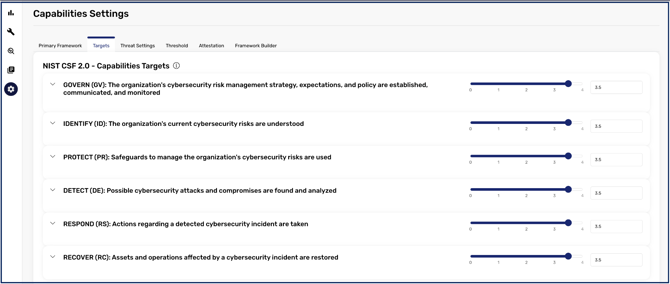
- Once you are inside the Targets tab, you can set scores at the Category level, or you can click the drop-down icon to expand into Sub-Categories.
- When you have confirmed what level you want to set your target at, you can type a specific number directly into the score field, use the up and down arrows, or drag the slider.
[NOTE: Scores set at the Category level will automatically set sub-category score targets. If you set scores at the sub-category level, the top-level category will show an average of your sub-category targets.]
- Once you have finished, you can click Save at the bottom to apply your newly configured targets.