
To set a security framework in CyberHQ, navigate to the left-hand menu and click on Settings > Capabilities, which will open the Capabilities Settings page. From there, ensure you are on the Primary Framework tab, where you can configure the core foundational elements of your capability assessments.
1. Selecting your Frameworks
- At the top of the page, you'll see drop-down menus to set your Primary Framework and threat framework. Ensure you have the desired framework uploaded already, see How to upload a security framework.
- Under the Primary Framework dropdown menu, select the framework that you would like to set as the Primary framework (default framework).
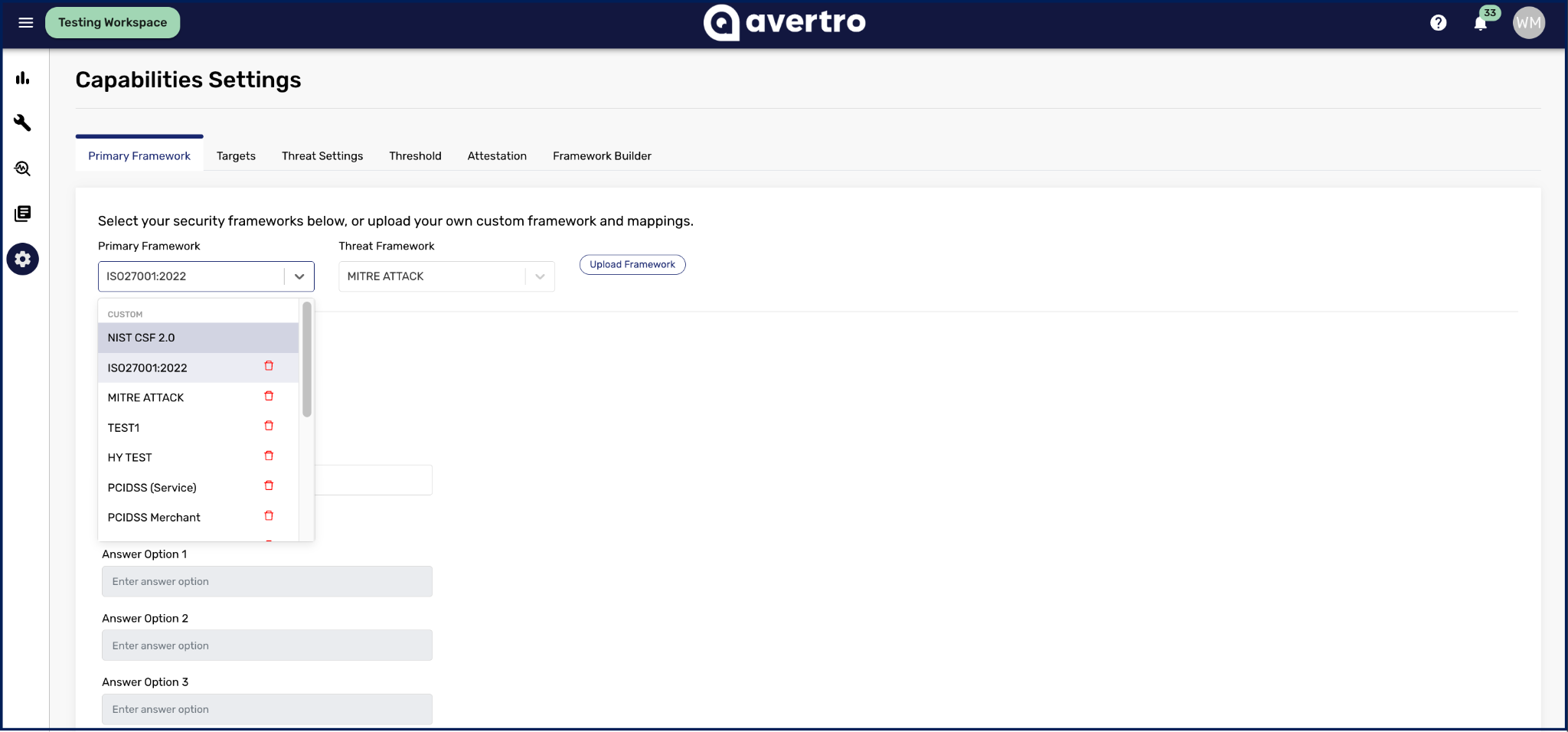
- Under the Threat Framework dropdown menu, ensure the MITRE ATTACK framework is selected
- Select Save at the bottom of the page.
- You can change your primary framework anytime from this page.