
Creating a program turns your intended improvements into a costed, scheduled plan of activities that you can track to completion. Building it well matters because, once activated, the program contributes to your maturity score and gives you a single place to manage the work that improves your posture. This article walks through creating a program, adding its activities, and activating it.
Creating the program
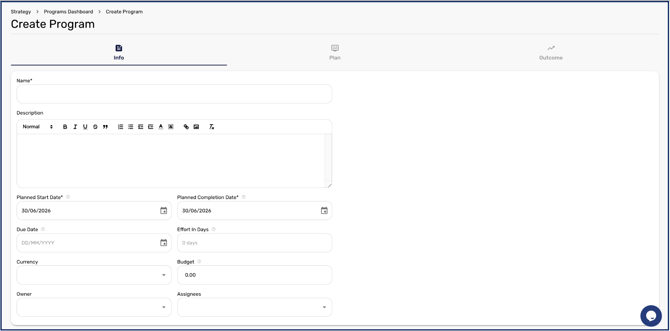
- In Strategy, select Create Program to open the program form on its Info stage.
- Enter the program's details: a Name, a Planned Start Date, and a Planned Completion Date are required, and you can also add due dates, a budget and currency, an owner, and an assignee. The start date stays locked until the program is activated.
Adding activities
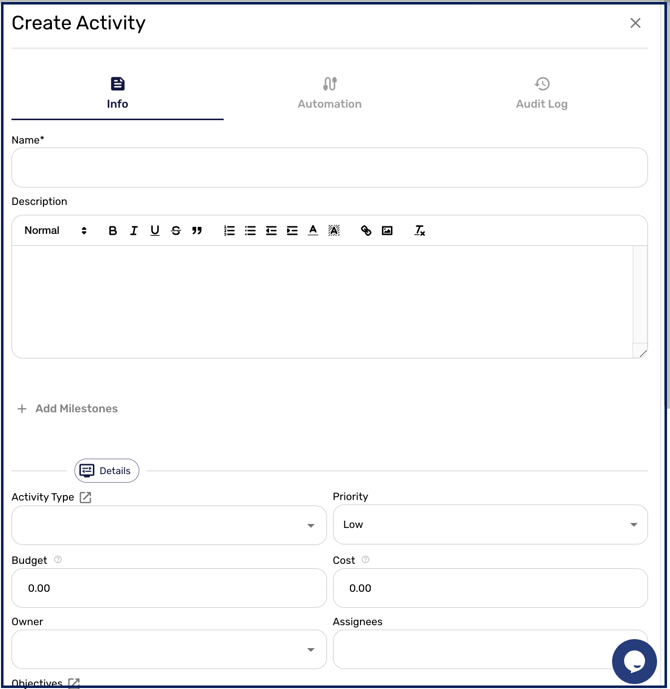
Move to the Plan stage to build the activities that make up the program. Click Add Activity to open the activity form, where a Name, Planned Start Date, and Planned Completion Date are the minimum required. You can define Milestones as a checklist (saving each one before saving the activity), and set further Details such as Activity Type, Priority, Budget, Owner, Assignees, and the Objectives the activity supports. Link the framework controls the activity affects so its progress can update your maturity.
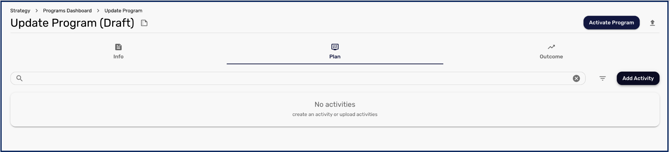
Activity start and completion dates remain locked until the program is activated.
Bulk uploading activities
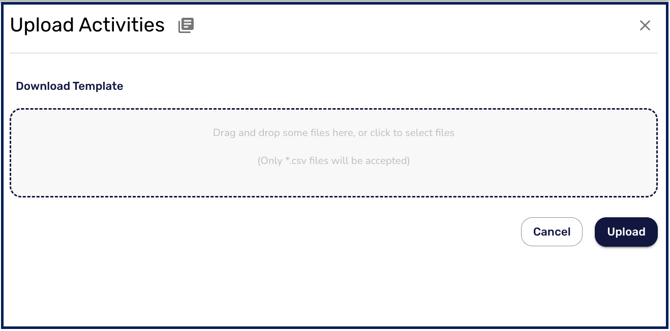
To add many activities at once, use Upload Activities to download the Activities template, complete a row for each activity (including effort in weeks, implementation and technology costs, tags, linked Strategic Business Objectives, dates, and control mappings, separating multiple values with a semicolon), and upload the completed CSV.
Activating and reviewing outcomes
When your plan is ready, use Activate Program to set it live, at which point its dates unlock and it begins contributing to your maturity score. The Outcome stage shows the maturity and risk scores projected at the end of the program, and you can switch the framework and report date to view outcomes against different frameworks.
Completing a program. When a program reaches its end, mark it Completed. If any activities are still outstanding, CyberHQ asks you to nominate another program to move them to rather than closing over the top of them, so unfinished work is carried forward instead of disappearing with the programme that started it. Decide where that work is going before you complete.
With a program built and activated, you manage its day-to-day progress as described in Understanding Program Management, and you tailor how activities move and update controls in How to Configure Program Workflows and Automations.