
Before CyberHQ can measure your cyber resilience, risk, and maturity, it needs to know about your environment: your issues, business systems, security resources, and the risks you face. Importing your data is how you populate the platform so that your assessments, risk scores, and reports reflect what is actually happening in your organisation rather than starting from an empty slate. CyberHQ gives you three ways to get data in, and most teams use a combination of all three depending on the type and volume of data they are working with. This article explains each method and helps you choose the right one.
Manual Entry
Manual entry is the most direct way to add data, and it suits small volumes or one-off records such as logging a single new issue, adding one business system, or recording an individual security resource. Throughout the platform you will find Create or Add buttons within each module that open a form for you to fill in the relevant details. Because you enter each field yourself, manual entry gives you the most control, and it is the quickest option when you only have a handful of records to add or want to capture something the moment it arises. As your data grows, the bulk methods below become far more efficient.
CSV Bulk Upload
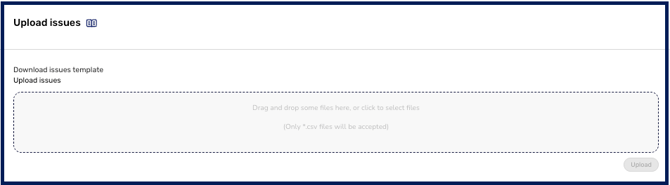
CSV bulk upload lets you add many records at once by filling in a downloadable template and uploading it back to the platform. It is the fastest way to populate CyberHQ during onboarding, or whenever you are migrating existing data from a spreadsheet or another tool. Most core modules, including Issues, Business Systems, and Security Resources, provide their own template with the exact columns that module expects, so your data lands in the right place and maps to the correct controls. Reach for this method when you are setting up a workspace for the first time or adding data in batches. The full process is covered in How to Bulk Upload your Data via CSV.
Automated Connectors
Automated connectors keep your data current without anyone having to re-enter or re-upload it. They pull information directly from the tools your organisation already uses, such as Jira, AWS, or ServiceNow, on an ongoing basis. Where manual entry and CSV upload are point-in-time actions, connectors create a live link, so issues and other records flow into CyberHQ automatically as they are created in your source systems. This is the best choice for data that changes frequently or that you want continuously synchronised. Setting up these integrations is covered in Managing your Connector Settings, and you can build and customise your own data pipelines using CyberHQ Connect.
Manual entry and CSV upload are point-in-time, so they capture your data as it is at the moment you add it. For data that changes often, connectors keep CyberHQ continuously up to date with far less effort.
Once your data is in CyberHQ, by whichever method suits each data type, it begins feeding the platform's evaluation engine, so your Capabilities Assessment, risk calculations, and reports across the workspace reflect your real environment. Most teams start with a CSV bulk upload to populate their workspace quickly, then layer connectors on top for the data they want kept live.